Alarm Fatigue Plagues Hospitals. Again. Still.

Alarm Fatigue Plagues Hospitals. Again. Still.

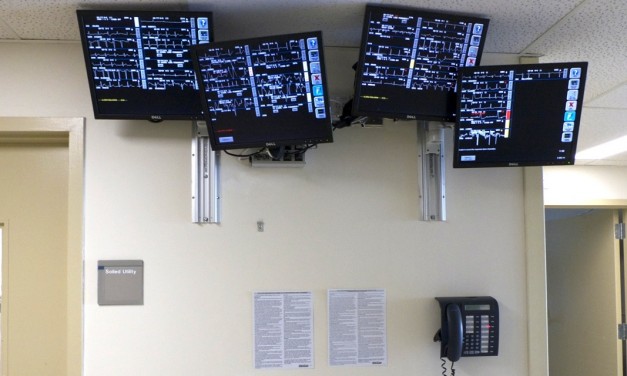
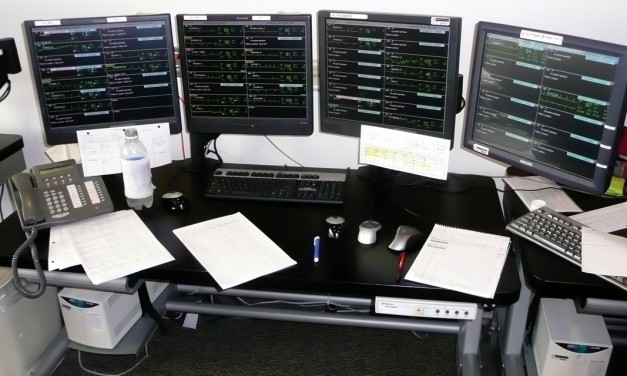
On April 8, 2013, the Joint Commission published a Sentinel Event Alert on medical device alarm safety in hospitals. Once again, alarm hazards tops the ECRI Institute’s 2013 Top 10 Health Technology Hazards. Alarm fatigue is unfortunately a topic that is evergreen because it has plagued hospitals for many years and shows little sign of abating. A search of the literature will show the most common consequence of alarm fatigue is a failure to rescue adverse event (in which the vast majority 80% of patients die). A secondary consequence is on patient satisfaction; constant alarms audible throughout the unit make it difficult for patients to sleep.

Share
Read More

Lessons from a Recent Recall

Lessons from a Recent Recall

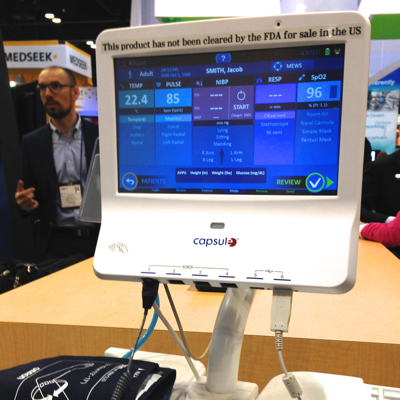
A recent Class I recall (not pictured) of a medical monitor with a hospital network connected central station stimulates some generalities about software, “fixes”, and connectivity. (Class I recalls are defined by the FDA as  a situation in which there is a reasonable probability that the use of, or exposure to, a violative product will cause serious adverse health consequences or death.)

The use of the product in question was given as:

  • a networked solution system used to monitor a patient’s vital signs and therapy, control alarms, review Web-based diagnostic images, and access patient records. The number of monitored vital signs can be increased or decreased based on the patient’s needs

Curiously only one customer was identified as having received the product, or at least this particular version of the product. While the manufacturer and product in question is a matter of public record, and available at the link, I chose not to include it here because my objective is not to repeat the recall information, but to suggest the reasons for the recall, an associated labeling issue, and offer some general lessons.

Share
Read More

The IOM on EHRs

The IOM on EHRs

The   issue of the EHR relative to safety and effectiveness has again made the news with the November 7, 2011 pre-publication (and downloadable) release of an Institute of Medicine report on EHR safety, commissioned by the U.S. Department of Health and Human Services (HHS). This report expands the discussion beyond the EHR (used henceforth for both EHR and EMR) to include other related electronic information tools collectively called health IT.

Health IT Risks

The potential for health IT to improve both the quality and efficiency of medical care has been much noted to include more complete and timely records, ready exchange of information between providers, clinical decision support, and in turn a reduction in errors associated with the quality and availability of patient information. Efficiencies may arise from electronic capture of data which would eliminate manual entry, and time savings in accessing and reviewing patient information, and perhaps in passing information to third party payers. Additional public health value might accrue from the enhanced searchability of electronic records with respects to trends, treatments and outcomes. These benefits assume well designed, user friendly, compatible systems not withstanding that the U.S. model is to allow for numerous independent products that may or may not be able to exchange information nor display it in a consistent manner. Not surprisingly the report notes that the IT imperative will likely not be fruitful without associated attention to the people and the clinical system they work in.

Share
Read More

What (if anything) can the recent Sidekick problem teach us?

On October 12 the NY Times headline read “Some Users May Lose Data On a T-Mobile Smartphone”. Those phones use software and support from Microsoft/Danger for their data applications. According to the article a “technical glitch” had resulted in customers losing personal information held on at least in part an associated cloud computer service. Another story here by Eric Savitz, led with the question: “So how sure are you that you want all of your data to live in the cloud?”

The precursor to the Times story had appeared earlier in a number of places including here on October 5th. At that time the issue was reported as a loss of data service as opposed to a loss of data, although it was noted that a reset could cause loss of the user’s contacts and calendar. On the 11th it was reported here that the data may be lost for good, but then on the 13th it was said here that maybe not all of the lost data was permanently lost. Apparently Microsoft/Danger was being run on a single server.

While there is no direct association of this situation with medical information (unless your doctor’s contact information was among the stored data), it should serve as yet another reminder that the connected world, and its operational software and hardware, is not without its own issues. When new medical applications are being discussed there seems too often to be a suspension of reality with respect to system functionality, data reliability, and data availability. Whether it is “just” an EMR/EHR, or it is more direct functionality (e.g. an alarm or communication system), or even a single device, it must be remembered that software anomalies (a nice word meaning it sometimes doesn’t work) are more common than rare, and that reliance on “the network” to perform as imagined can often be a false reliance.

In case there was any doubt of this, software is a fairly common cause of FDA mediated medical device recalls.  The FDA’s recall datebase has a Simple Search function. Entering “software” without date limits brings up 500 hits, the systems maximum. Limiting the search to 2009 (through 10/21/09) on the Advanced Search produces 62 hits. The most recent of these involves a “software bug” cryptically reported as “The … flag is configured incorrectly. The flag is not generated according to system requirements.” A “software update” is said to be forthcoming.

As I have noted elsewhere, the software industry really needs to be congratulated for its use of the term “upgrade” to mean fixing something that was never right in the first place. The second most recent recall had an equally cryptic explanation: “There is a potential safety issue with … 3.0.x software where study split operations are not correctly replicated to a secondary ‘shadow’ archive”.

Share
Read More

Market Trends Series #2: Patient Safety

This is the second post as part of an ongoing series that discusses the market trends that are affecting the evolution of medical device connectivity (MDC) technology. I received some good comments from my previous post – please consider sharing your thoughts, ideas, and experiences.

The second trend I’d like to discuss is the shift towards patient safety as one of the key market drivers for connectivity. It is probably not news to anyone that patient safety has become one of the key drivers for many healthcare IT initiatives. But what is the relationship between patient safety and MDC? Ever since the often referenced IOM report, To Err is Human: Building A Safer Health System, hospitals and vendors alike have increased their focus on driving towards significant reductions in medical errors. The industry as a whole has made great strides, but still lots of work remains.

With device connectivity, my experience has been that for at least the past 15+ years, the key driver has been making the nurse more efficient by eliminating the manual transcription of device data into the patient’s chart. One of the related benefits is a more come complete and legible patient record. However, one could argue that the more legible patient record could be achieved if the vital signs from medical devices were simply typed into the charting application manually (something that many hospitals are actually doing today). So I believe that the nursing efficiency argument holds as the primary driver – but that is starting to be challenged by the focus on patient safety as it relates to connectivity.

Share
Read More

Running Medical Device Software on Shared Computers

The following question came up on the biomed listserv:

Has anybody wrestled with the idea of placing patient-care applications on the laptop COWs (Computers on Wheels) in Hospitals?

There is a new series of USB-connected Ultrasound transducers that can do many ultrasound procedures, including Bladder Scanner functions.  It operates on any laptop, when loaded with the manufacturer’s software.  I can foresee many other patient-care functions vying to share the computers already in the patient vicinity.

Any guidance on this subject?

Here’s my reply:

As others have pointed out, you are right to be concerned about the safety of mixing regulated medical device applications and applications from any other source on the same computer. Moving forward without the proper information does expose your hospital to additional risk. At minimum you may be using the device “off label” if you unwittingly fail to follow the manufacturer’s instructions. (Note that the FDA’s interest in “off label use” centers on patient safety, where manufacturers may promote products for uses they were not designed and tested, or when manufacturers make an application with an easily cleared intended use knowing the market will buy and use the product for a more difficult intended use.)

You will need some information from your medical device vendor with the USB scan head and associated software.

Questions on General Purpose Computers

How specific are their specifications for the computer (hardware configuration, operating system, any additional libraries or applications) that is used to run their medical device?

Regardless of how specific their specifications may be, you must use and maintain your system (the USB scan head heads, application software and general purpose PC) in accordance with the vendor’s directions for use, or you will be using the system “off label.” The actual specifications can be high level, indicating a PC of any make or model as long as it includes a specific processor class and minimum speed, and meets minimum required memory and disk space, and a minimum version for the operating system. Alternatively, the vendor may be obsessively specific, calling out computer manufacturer and model, the specific CPU, the required version of BIOS, and even specific versions of operating system components.

Share
Read More